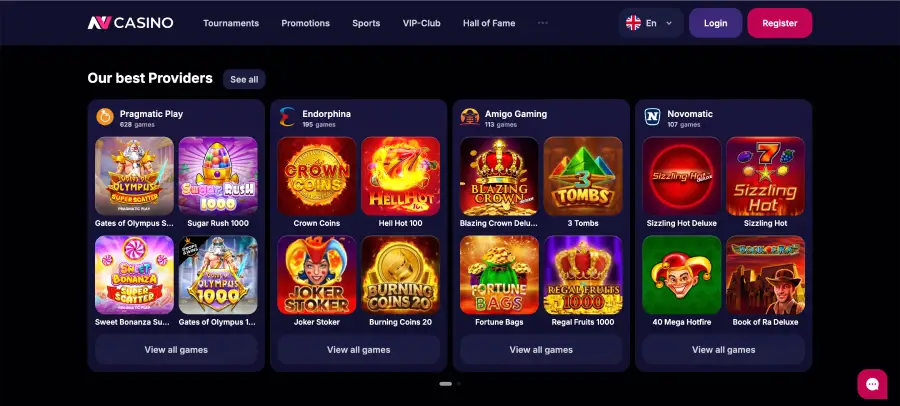

NV Casino registration is completed in under a minute and can be done using an email address or phone number. Once registered, the full platform is accessible — 10,000+ game titles from 100+ providers, sports betting, live casino and all active promotions. The welcome package of up to €2,000 + 225 Free Spins is available from the first qualifying deposit, provided the bonus has been activated before the deposit is made.
We tested the NV Casino registration process directly — on desktop (Chrome) and on mobile. Account creation was completed in under 60 seconds on all devices.
| Feature | Details |
|---|---|
| Registration URL | nvcasinoonlinee.com.de |
| Registration method | Email or phone number |
| Default currency | EUR |
| Minimum age | 18 years |
| Promo code option | Yes — "I have a promo code" checkbox in the form |
| Welcome package | Up to €2,000 + 225 Free Spins |
| Minimum first deposit | €10 |
| KYC requirement | Before first withdrawal |
| Licence | Government of Curaçao (GCB), OGL/2024/1363/0705 |
| Support | 24/7 live chat |
How to create an NV Casino account – step by step
Registration runs directly from the NV Casino homepage. The form is fully functional on both desktop and mobile.
- Open nvcasinoonlinee.com.de in your browser or launch the NV Casino app.
- Click the Register button in the top-right corner of the navigation bar.
- Choose a registration method: Email or Phone.
- For email registration: enter your email address and create a secure password (use a mix of upper and lower case, numbers and special characters).
- Check the currency — EUR is set by default. Leave it unchanged for EUR-based play.
- Tick the box: "I am at least 18 years of age and I have read, accepted and agreed to the Privacy Policy, Bonus T&C, Terms and Conditions, Betting Rules".
- Optionally tick "I want to receive promotions by email" — recommended to avoid missing time-limited bonus offers.
- Optionally tick "I have a promo code" and enter a valid code if you have one.
- Click Register.
- Open the confirmation email and click the activation link — your account is immediately active.
Activating the welcome bonus after registration
The welcome package is not activated automatically — it must be manually activated before each qualifying deposit through the Promotions section or the player profile. Skipping this step means the bonus for that deposit is lost.
- After logging in, go to the Promotions section.
- Select the desired offer (e.g. Welcome bonus 1st deposit: 100% up to €500 + 100 FS on Joker Stoker).
- Activate the bonus — this must be done before the deposit.
- Go to the cashier and make your first deposit (from €10).
- Bonus funds and free spins are credited automatically.
First deposit after registration
All standard payment methods are available for the first deposit. The minimum deposit to qualify for the welcome bonus is €10.
| Method | Minimum deposit | Credit time |
|---|---|---|
| Visa / Mastercard | €10 | Instant |
| Skrill | €10 | Instant |
| Neteller | €10 | Instant |
| MiFinity | €10 | Instant |
| Paysafecard | €10 | Instant |
| Bitcoin / Ethereum | €20 equiv. | 1–3 confirmations |
| Rapidtransfer | €10 | Instant |
Account verification (KYC) after registration
Gameplay is available immediately after registration. However, KYC verification is mandatory before the first withdrawal can be processed. NV Casino processes verification in line with GCB licence standards (OGL/2024/1363/0705). Verification is typically completed within 24 hours.
Required documents:
- Photo ID: National identity card or passport (front and back).
- Proof of address: Dated within the last 3 months (bank statement, utility bill, official correspondence).
- Payment proof: Evidence of the deposit method used (e.g. e-wallet account screenshot, photo of the card with the middle digits obscured).
Tip: submit KYC documents immediately after registration — this prevents any waiting time when making your first withdrawal request.
Safe registration at NV Casino
- Always use the official URL nvcasinoonlinee.com.de.
- Enter accurate personal details — discrepancies can cause issues during KYC verification.
- Choose a strong, unique password not used for email or other accounts.
- Enable two-factor authentication (2FA) in account settings after registration.
- Configure responsible gambling tools (deposit limits, reality check, self-exclusion) in account settings.
Registration on mobile devices
Registration works fully via mobile browser (Safari, Chrome, Firefox) and through the native NV Casino app (iOS App Store, Android APK). The mobile registration form contains all fields including the promo code checkbox and is laid out identically to the desktop version. During our testing on an iPhone, registration was completed in under 60 seconds.
FAQ
How long does NV Casino registration take?
Registration is typically completed in under one minute. After submitting the form, the confirmation link in the email must be followed — the account is active immediately after that.
Which currency is set during NV Casino registration?
EUR is the default currency. No change is needed for players who want to play in euros. The currency generally cannot be changed after the account is created — confirm the selection before registering.
Can I register at NV Casino with a phone number?
Yes. The registration form offers two options: Email and Phone. Both methods are fully supported.
When must I activate the welcome bonus?
The bonus must be activated before the relevant deposit — through the Promotions section or the player profile. Post-deposit activation is not possible.
Is KYC verification required immediately after registration?
No. Gameplay is available immediately after registration. KYC verification is only mandatory before the first withdrawal. It is advisable to submit documents early to avoid delays later.
Can I enter a promo code during registration?
Yes. The registration form contains the "I have a promo code" checkbox. Ticking it reveals an entry field where the code can be typed. The code is processed after account activation.
What should I do if I do not receive the confirmation email?
Check the spam folder first. If the email is not there, contact the 24/7 live chat at nvcasinoonlinee.com.de — the support team can resend the confirmation email without delay.